
ATD Blog
Toolbox Tip: Trade In Your Bullet Points for Interactive Video
Wed Jul 02 2014

Content
Content
Content
Content
Not that long ago, video production was so costly and time-consuming that most e-learning designers didn’t include video in courses. With today’s tools, though, it’s easier than ever to work with video. You can shoot decent videos using your smartphone or an inexpensive HD camera, and then edit them with any number of free or low-cost tools, meeting the needs of even the smallest of budgets.
Not that long ago, video production was so costly and time-consuming that most e-learning designers didn’t include video in courses. With today’s tools, though, it’s easier than ever to work with video. You can shoot decent videos using your smartphone or an inexpensive HD camera, and then edit them with any number of free or low-cost tools, meeting the needs of even the smallest of budgets.
Content
The trick with video is to use it without sacrificing the rapid element of your rapid development strategy. One quick and easy way to get started with adding videos to your courses is to use them as a more interesting and engaging replacement to information presented via bullet points.
The trick with video is to use it without sacrificing the rapid element of your rapid development strategy. One quick and easy way to get started with adding videos to your courses is to use them as a more interesting and engaging replacement to information presented via bullet points.
Content
Here are a couple of creative examples that illustrate how the right kind of video adds media-rich interactivity to courses without piling on to your production time.
Here are a couple of creative examples that illustrate how the right kind of video adds media-rich interactivity to courses without piling on to your production time.
Content
Example: learning to cook
Example: learning to cook
Content
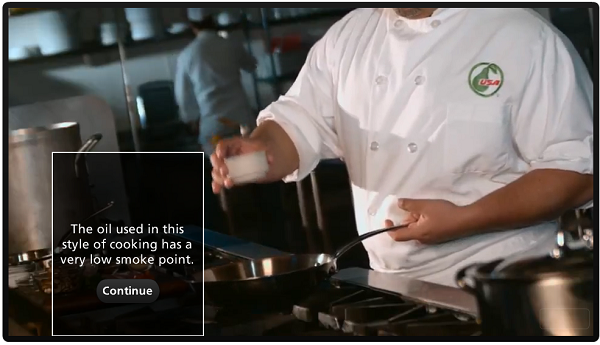
Notice how the bullet point information is integrated directly into the video. Watch the video and notice how you can learn more by clicking any of the buttons that appear throughout.
Notice how the bullet point information is integrated directly into the video. Watch the video and notice how you can learn more by clicking any of the buttons that appear throughout.
Content
Click here to view the e-learning example
Click here to view the e-learning example
Content
The key is to find topics that work well with this technique and are easy to record. Video that shows how to work on a machine or how to operate a piece of equipment works well, for instance. Role-playing scenarios are also good candidates for video.
The key is to find topics that work well with this technique and are easy to record. Video that shows how to work on a machine or how to operate a piece of equipment works well, for instance. Role-playing scenarios are also good candidates for video.
Content
Example: using the keurig brewer
Example: using the keurig brewer
Content
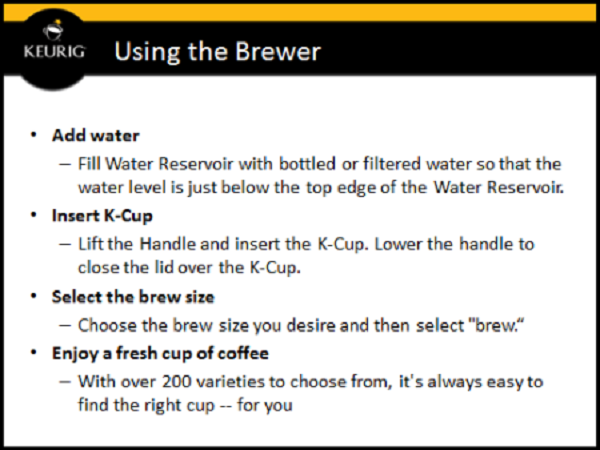
Here is an example of how a Keurig coffee machine’s instructions might look in a typical e-learning course.
Here is an example of how a Keurig coffee machine’s instructions might look in a typical e-learning course.
Content
Before
Before
Content
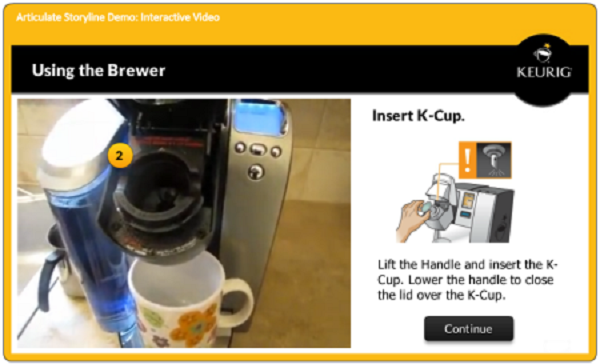
And here’s the same information presented as a video that illustrates what’s happening and gives the learner the option to display additional information with just the click of a button. Learners can opt to ignore the buttons and continue with the course uninterrupted. This is a great way to move from the one-size-fits-all delivery method of the bullet point slide to the personalized method that is possible with the interactive video.
And here’s the same information presented as a video that illustrates what’s happening and gives the learner the option to display additional information with just the click of a button. Learners can opt to ignore the buttons and continue with the course uninterrupted. This is a great way to move from the one-size-fits-all delivery method of the bullet point slide to the personalized method that is possible with the interactive video.
Content
After
After
Content
Click here to view the e-learning example
Click here to view the e-learning example
Content
Example: adding video to e-learning
Example: adding video to e-learning
Content
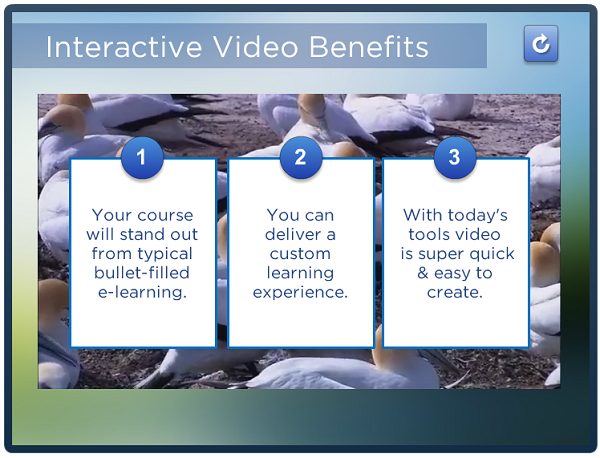
The demo below reviews how to use video for building courses that stand out from the average slide, which is typically (and painfully) oversaturated with bullet points and text. Using video, you can deliver a customized experience to learners: Less knowledgeable learners can click on the interactive buttons to get the details they need, while others can just watch the video and avoid repeating the things they already know. And, with the tools available today, it’s super quick and easy to create interactive videos.
The demo below reviews how to use video for building courses that stand out from the average slide, which is typically (and painfully) oversaturated with bullet points and text. Using video, you can deliver a customized experience to learners: Less knowledgeable learners can click on the interactive buttons to get the details they need, while others can just watch the video and avoid repeating the things they already know. And, with the tools available today, it’s super quick and easy to create interactive videos.
Content
This won’t work for every course, but it’s a great way to start incorporating video into your e-learning projects. So, go ahead and give it a try. You’ll be glad you did, and your learners will love you for it!
This won’t work for every course, but it’s a great way to start incorporating video into your e-learning projects. So, go ahead and give it a try. You’ll be glad you did, and your learners will love you for it!
Content
If you’d like to try this yourself but don’t have Articulate Storyline , you can grab a fully functional, free 30-day trial .
If you’d like to try this yourself but don’t have Articulate Storyline, you can grab a fully functional, free 30-day trial.